PDFs and images
Your script. Your margin notes.
Import lecture slides, scripts and photos, highlight what matters and write right next to it. Export it all back as a PDF.
Import
Every page becomes a page
A PDF with a hundred slides becomes a notebook with a hundred pages. Photos from your camera and gallery too, each in its own format.
- Multi-page PDFs
- Photos from camera and gallery
- Insert into an existing notebook
With Pro
Your pages become study material
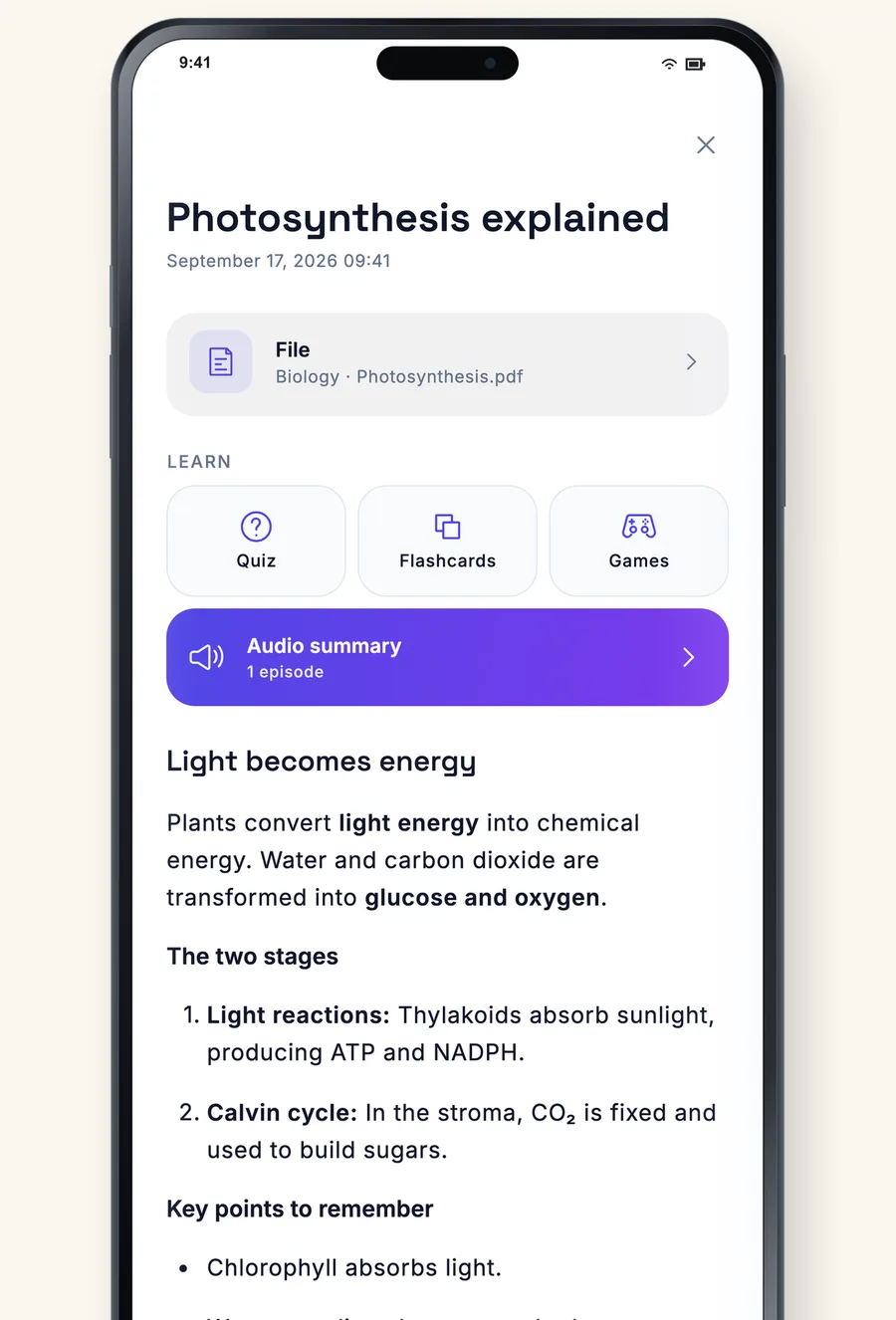
One tap on “Create study material” and the PDF or your handwritten pages turn into an AI note with a quiz and flashcards.
- Summary with key points
- Quiz and flashcards to go with it
- In the language of your material
Annotate like on paper
Write
With a pen or your finger, right on the page.
Highlight
The highlighter sits under the text.
Text boxes
Type where writing is too slow.
Photos
Boards and worksheets as pages.
Export
Share it all as a PDF again.
Offline
The pages live on your device.
Frequently asked questions
How large can a PDF be?
Up to 5 MB per file with Free, 50 MB with Essential and 100 MB with Pro.
Can I add a PDF to an existing notebook?
Yes. Through “Add page”, the PDF's pages go where you are.
Is the original kept?
Yes. Your notes sit on top of the PDF, the document underneath stays unchanged.